LeapFrog Academy™ Learning
- 3.3
- Rating
- 500.00K
- Installs
- Free
- Price
 Analysis by App-foxy
I spent time with LeapFrog Academy™ Learning as a children’s educational game, and my first impression was that it aims for a useful middle ground: enough playfulness to hold a young child’s attention, but enough literacy and math practice to make the screen time feel purposeful. It comes from LeapFrog Enterprises, Inc., a developer already associated with early learning, and its focus is clear rather than broad. This is not a general entertainment game with a few educational extras; it is built around learning activities and adventures for children.
The app is free to install, rated for Everyone, and available for devices running Android 5.0 or later. That broad age rating makes it easy for families to consider, although a parent should still stay involved because the learning value depends heavily on choosing activities that match the child’s ability. The current version is 1.1.1.1087, and the app has passed the half-million-install mark. Its average score is 3.3 from roughly 949 ratings, with about 393 written reviews, so the public response is mixed rather than universally enthusiastic.
How the learning experience feels in everyday use
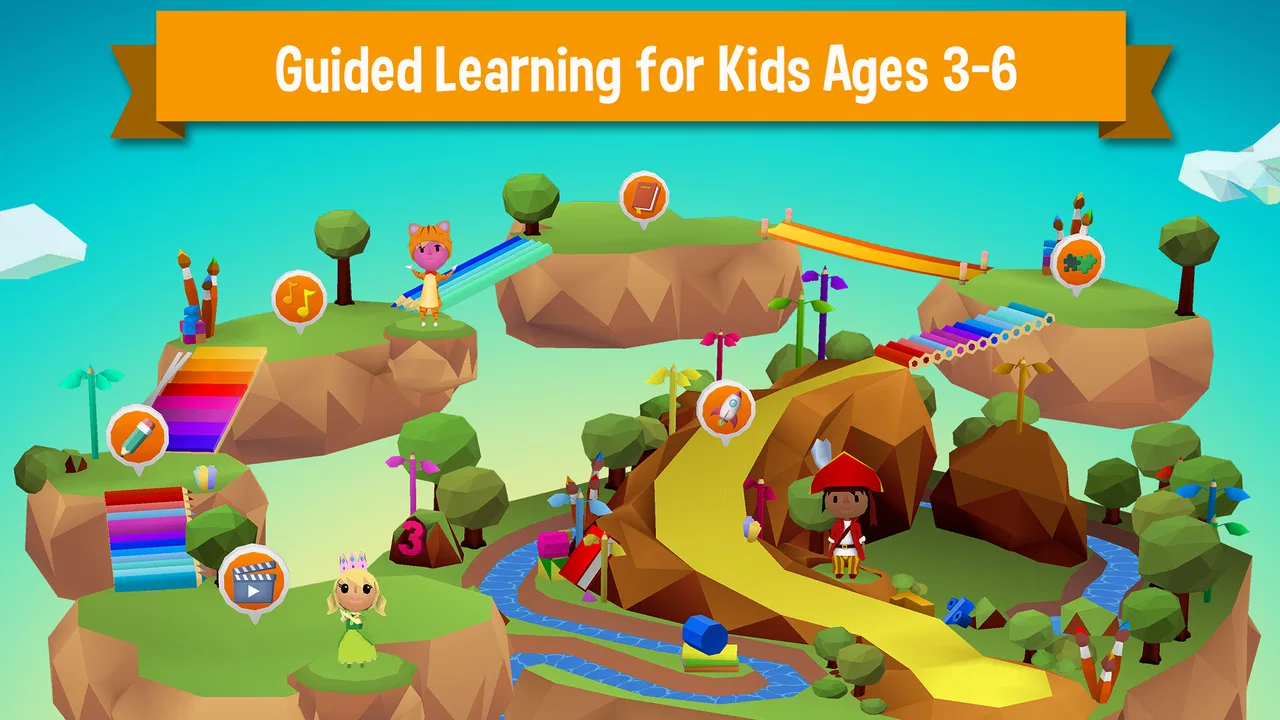
What I like most is the clear relationship between the activities and the skills they are meant to support. A child who is beginning to recognize letters, work with simple words, or become more comfortable with basic numbers can use the game as a gentle practice space. The adventure framing helps because it gives the child a reason to continue instead of presenting every task as a worksheet.
You May Also Like

 Blood Strike: 2.5 Anniversary
Blood Strike’s Loadouts Turn Every Drop Into a Tactical Gamble
A close look at Blood Strike’s custom loadouts: how fast access to signature weapons reshapes its battle royale rhythm, rewards preparation, and narrows the gap between fights.

 Pandora - Music & Podcasts
Pandora’s Music Is Easy to Start, but Harder to Recover
Pandora’s strength is its low-effort path from a seed to a station. Its weak spot is how much confidence it asks you to place in connection, setup, and quiet recovery.

 8 Ball Pool
 Is Built on Rivalries, Rematches, and Routine
A close look at the rivalries, rematches, shared routines, and unanswered safety questions that turn a quick pool match into a persistent mobile community.

 Samsung Music
’s Quiet Strength Is Playing What You Already Own
Its reach comes less from spectacle than from dependable access to a personal library. That simplicity is both the app’s strongest retention engine and its ceiling.

 AccuWeather: Weather Radar
AccuWeather Review: A Quick, Clear Forecast for Everyday Decisions
For everyday plans, the best forecast is the one you can understand quickly. AccuWeather makes rain timing, radar, and local conditions easy to act on, with a few trade-offs.

 Hill Climb Racing
Why Hill Climb Racing Still Turns Crashes Into One More Run
A tiny car, a bumpy hill and one more upgrade: Hill Climb Racing keeps resurfacing because its simple chaos makes every near-miss feel personal.
More From Our News Desk



I would not describe it as a replacement for reading together, handwriting practice, or direct teaching. Its better role is as a short, repeatable activity between those experiences. For example, a parent could use it after breakfast while getting ready for the day, then ask the child to explain one word or number concept encountered in the game. That small conversation turns passive tapping into a more useful learning routine.
The game is also more suitable for children who respond well to guided digital activities than for children who become frustrated when an answer is marked wrong. A child who enjoys trying again may see mistakes as part of the adventure. Another child may need an adult nearby to slow things down, explain the instruction, or move to a different activity before frustration builds.
What to expect from the pace
From a performance point of view, I found the experience best approached as a calm learning session rather than a fast arcade game. The educational format naturally involves listening, looking, choosing, and sometimes repeating. That makes perceived speed more complicated than simply asking whether screens change quickly. A response can feel perfectly acceptable in a letter activity but feel slow to a child who is eager to move through an adventure.
On a reasonably modern device, I would expect the main challenge to be maintaining a smooth experience during longer sessions rather than demanding rapid reactions. Because the minimum operating-system requirement is Android 5.0, the app can reach older hardware than many newer games. That is convenient for families using an older tablet, but compatibility does not guarantee that every old device will feel equally comfortable. Processor age, available storage, memory, and the condition of the device can all affect how responsive a children’s game feels.
My practical advice is to test a short session before promising a child a long one. Watch whether taps register naturally, whether transitions interrupt the child’s concentration, and whether the device becomes warm or sluggish. A child may not describe those problems technically; they may simply say that the game is boring or not working. Checking it yourself helps separate an app issue from a device issue.
Where heavier use can become noticeable
The most demanding moments are likely to be longer play periods, frequent movement between activities, and sessions on older devices with limited resources. I would be especially cautious about handing it over for an uninterrupted afternoon on a tablet that already struggles with other apps. Educational games can seem light because the controls are simple, but animated scenes, sound, and multiple transitions still place work on the device.
A useful family workflow is to keep sessions focused. Instead of leaving the app open indefinitely, choose a small learning window, let the child complete a few activities, and then close it when the child’s attention starts to fade. This is not only better for concentration; it also reduces the chance that a device with modest hardware will become less responsive over time.
Another practical tip is to avoid testing the game for the first time when the child is already tired or in a hurry. If an activity loads slowly or the child needs help understanding an instruction, the situation can quickly become stressful. A quiet first session gives you time to learn the controls and see whether the game’s rhythm suits your child.
The free entry point is helpful for trying the experience without an upfront payment. However, in-app purchases range from $7.99 to $69.99 per item. That is a significant spread, so I would review the purchase flow before giving a child access. Even when the child is only interested in learning, a device shared with adults can make accidental taps or unexpected requests a concern. I would treat purchase controls as part of the setup, not as an afterthought.
Stability and recovering from interruptions
Reliability matters more in a children’s app than it does in many casual games. If a child loses progress, cannot return to an activity, or is repeatedly interrupted, the educational purpose quickly weakens. My view of this title is that parents should judge recovery during their own trial session: pause it, leave it for a while, switch briefly to another task, and then return. That simple test reveals more about daily suitability than a quick launch.
It is also worth checking how the child reacts after an interruption. Some children can resume independently, while others need an adult to remember what they were doing. If your child needs a very predictable routine, keep the device in the same place and begin sessions with the same short instruction, such as choosing one literacy activity before moving to numbers. A consistent routine can make the app feel more dependable even when the child still needs occasional guidance.
I would not rely on any digital activity as the only record of a child’s learning. Use what you observe in the game as a prompt for offline practice. If the child repeatedly hesitates around a sound, letter, counting step, or instruction, repeat that idea with books, toys, or conversation. This is one of the less obvious strengths of a focused learning game: it can show you which concepts deserve attention, even when the app itself is not a complete teaching plan.
The mixed average rating of 3.3 suggests that the experience will not suit every family equally. I would interpret that as a reason to test it with your specific child rather than as a simple pass-or-fail verdict. Children differ widely in reading readiness, attention span, tolerance for repetition, and comfort with touch controls. A game that feels encouraging to one child may feel too slow or too guided to another.
Older devices, storage, and practical limits
The Android 5.0 minimum is a useful sign for families with an older phone or tablet, but it should not be confused with a promise of identical performance across all supported devices. Older operating systems can run the app while older hardware still struggles with transitions or extended use. I would keep the device reasonably clear of unnecessary background activity and make sure the child has enough battery for the intended session.
Screen size also affects usability. A phone can be convenient for a quick supervised activity, but a larger tablet is generally easier for a young child to hold, see, and tap accurately. On a small display, a child may press the wrong area more often, especially when several choices appear close together. If the game is being used regularly, the larger screen is likely the more comfortable option, while the phone makes more sense for occasional access.
Sound deserves attention too. Literacy activities often depend on hearing instructions or spoken examples, so a noisy room can reduce the benefit even when the app itself is working correctly. I prefer using it in a quiet corner with the volume set comfortably, then following up verbally. If a child is guessing from pictures or tapping quickly without listening, the activity may become less educational than it appears.
Families should also think about who controls the device. The Everyone rating makes the game broadly appropriate from a content perspective, but young children still need help with navigation, time limits, and purchases. I would not hand over a device with unrestricted store access and assume the age rating solves every practical problem. The rating describes content suitability; it does not replace household supervision.
How it compares with familiar alternatives
Compared with a traditional workbook, this game is more interactive and may be easier to use when a child resists sitting down with printed exercises. It can provide immediate engagement and a sense of progression through activities. The trade-off is that it offers less physical practice. A child cannot build handwriting control or learn to turn pages simply by tapping a screen, so I would pair it with books, drawing, counting objects, and conversation.
Compared with a general children’s video app, it has a stronger learning purpose because the child is expected to respond rather than only watch. That makes it a better choice when you want screen time to involve active choices. The downside is that it may demand more adult involvement, particularly at the beginning. A video can occupy a child with almost no explanation; this game is more valuable when someone notices whether the child understands the task.
Compared with a narrowly focused phonics or mathematics app, its broader literacy-and-math approach may be more appealing for families that want variety in one place. The compromise is depth. If your child needs concentrated help with one specific skill, a specialist app, teacher-led resource, or paper activity may be more effective. I would choose this title for variety and routine practice, not as the only tool for a clearly identified learning difficulty.
The adventure structure is another meaningful difference. It gives the child a context for moving between learning moments, which can make practice feel less repetitive. At the same time, children who prefer direct, short exercises may find the surrounding presentation unnecessary. In that case, a simpler activity app may produce better results because less time is spent navigating between tasks.
Who will get the most from it
I think it is a good candidate for families looking for a free starting point in educational games for children, especially when the child is beginning to build confidence with literacy and basic math. It is also useful for parents who want a structured digital activity that can sit alongside reading time, counting games, and school preparation.
It is less suitable for a child who needs advanced material, a very quiet independent experience, or a single-skill intervention. I would also hesitate if your child has little patience for guided instructions or becomes upset when an activity must be repeated. In those cases, a physical learning activity or a more specialized app may be a better match.
For a realistic weekday routine, I would set up the device before the child begins, confirm that purchases are protected, and choose a short session when an adult can remain nearby. Afterward, ask the child to show one thing they learned without looking at the screen. If they can demonstrate it with a toy, a pencil, or spoken answers, the game has supported learning rather than merely filling time.
That approach also answers an important question about independence. Yes, a child may be able to complete some activities alone, but I would not assume that independent tapping equals independent understanding. Occasional check-ins are valuable, particularly when the child is new to the app or working on a skill that is still developing.
My performance verdict
My overall impression is positive but measured. LeapFrog Academy™ Learning has a sensible educational purpose, a free way to begin, and a format that can make early literacy and math practice more inviting. Its support for Android 5.0 and later also gives it practical reach on older devices, although families should test responsiveness rather than relying on the operating-system requirement alone.
The main limitations are not reasons to dismiss it; they are reasons to use it thoughtfully. Longer sessions may expose weaknesses in an older device, children may need help recovering from interruptions or understanding instructions, and the in-app purchase range deserves careful adult control. The mixed 3.3 average reinforces my view that this is a try-and-observe app, not an automatic recommendation for every child.
My recommendation is to treat it as a guided supplement, not a digital substitute for teaching. If your child enjoys playful activities and benefits from repeated practice in letters, words, and numbers, it is worth trying. If you need deep instruction in one subject, guaranteed independent use, or strong handwriting practice, choose a more specialized or offline alternative instead. Used in short sessions with an adult nearby, this game can earn a useful place in a family’s learning routine.
FAQs for LeapFrog Academy™ Learning
01What age group is LeapFrog Academy™ Learning suitable for?
LeapFrog Academy™ Learning is designed for children aged 3 to 6 years. It provides an engaging and interactive platform for young learners to explore foundational subjects such as math, reading, and science. The app tailors its content to the developmental stage of each child, ensuring age-appropriate learning experiences.
02Is an internet connection required to use LeapFrog Academy™ Learning?
Yes, an internet connection is necessary to initially download the app and access its full range of features. However, once certain games and activities are downloaded, they can be accessed offline. This is particularly useful for parents who want their children to learn on the go without needing a constant internet connection.
03Are there any in-app purchases in LeapFrog Academy™ Learning?
LeapFrog Academy™ Learning operates on a subscription model, which provides access to all features and content. While the app may offer a free trial period, continuing access to the full library of activities and games requires a paid subscription. Parents should be aware of this before downloading the app.
04Can multiple children use LeapFrog Academy™ Learning on the same device?
Yes, LeapFrog Academy™ Learning allows for the creation of multiple child profiles on a single account. This feature is particularly beneficial for families with more than one child, as it enables personalized learning experiences and progress tracking for each individual child, all on the same device.
05How does LeapFrog Academy™ Learning ensure educational quality and safety?
LeapFrog Academy™ Learning is developed by educational experts to provide high-quality learning content aligned with early childhood education standards. The app is free from ads and ensures a safe environment for children. Parents can trust that their children are engaging with content that is both educational and secure.
Pros
- Engaging educational content for kids
- Interactive games enhance learning
- User-friendly interface for children
- Offline access for learning on-the-go
- Regular updates with new material
Cons
- Requires subscription for full access
- Limited content for older children
- Occasional app crashes reported
- Account setup can be a bit complex
- Some content requires internet connection

LeapFrog Academy™ Learning
Gallery